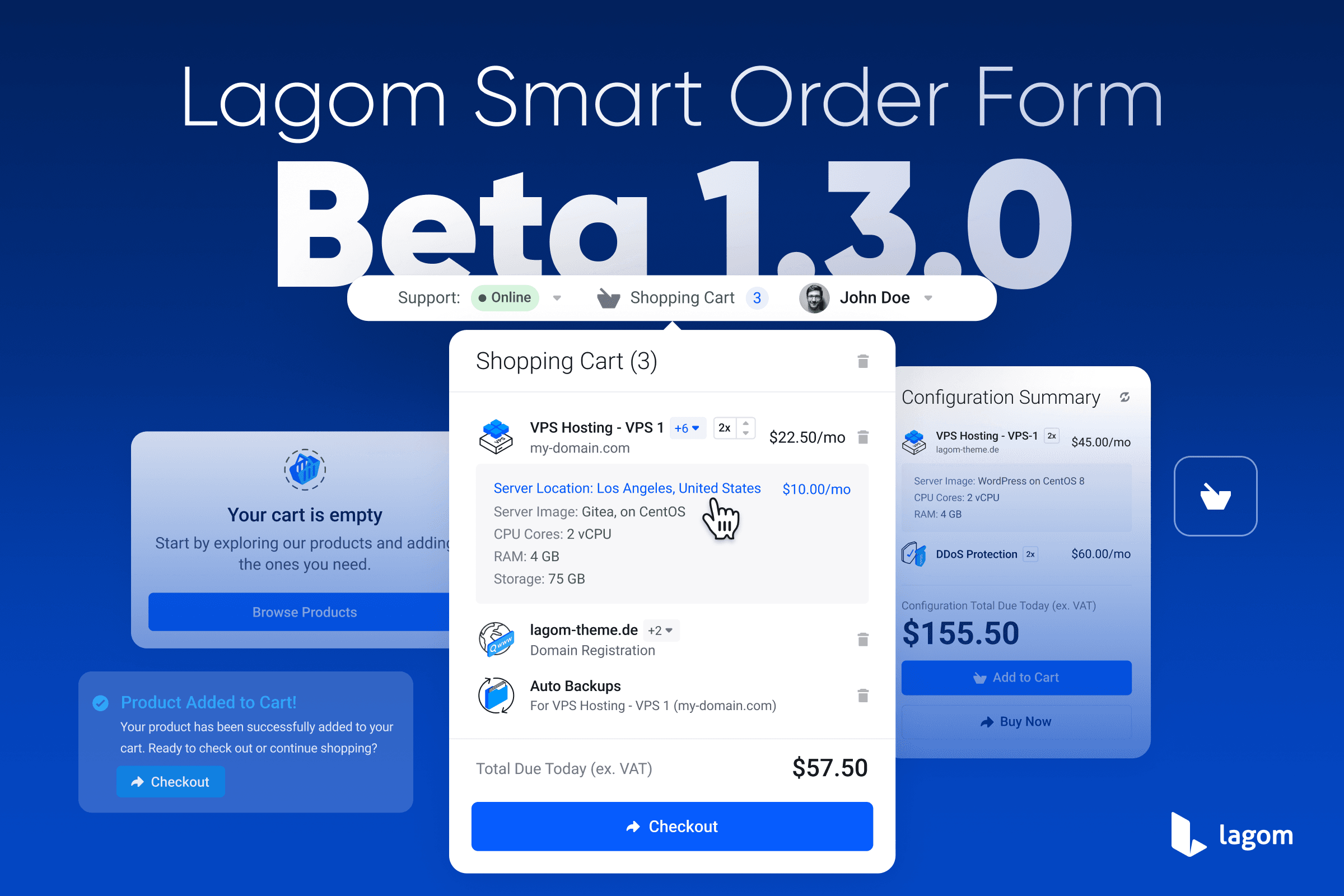
We are excited to announce the release of Lagom Smart Order Form 1.3.0 Beta.
This update introduces full Multi Product Ordering, a refreshed purchase flow, and a set of smart structural improvements that make configuration, pricing, and checkout clearer, faster, and more intuitive. At the same time, the new version aligns more closely with standard WHMCS behavior, ensuring better compatibility and long-term stability.
Version 1.3.0 beta is more than just another update. It is a strategic step forward that removes previous limitations, simplifies the ordering logic, and creates a solid foundation for future development. The result is a cleaner, more flexible ordering experience for customers and a more predictable, easier-to-maintain solution for administrators.
See Full Changelog See Demo Page
Multi Product Ordering in a Single Order
In earlier versions, the order process was built around a Single Product model. While originally intended to simplify ordering, it often worked against real-world use cases. Customers expected to order more than one service at a time, and the limitation led to confusion.
With beta version 1.3.0, Lagom Smart Order Form introduces one clear and modern approach: Multi Product Ordering with View Cart always enabled. Customers can now freely configure and add multiple products, services, or domains in one continuous flow. The checkout happens only when the entire order is complete, exactly when the user is ready. This feels natural, familiar, and fully consistent with how ordering works, while still preserving the speed and simplicity that Lagom One Step Order is known for.
This change unlocks new possibilities, removes friction, and delivers a smoother, more powerful ordering experience from the very first interaction.
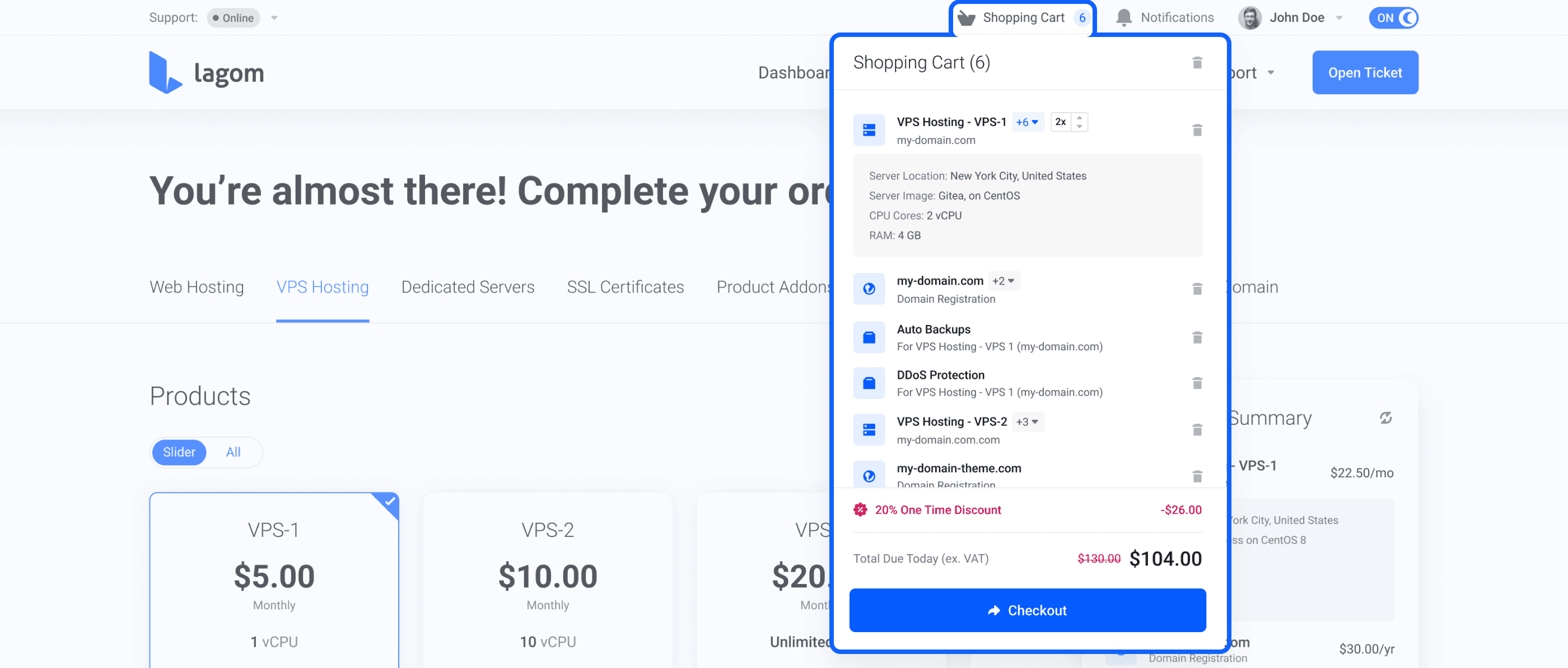
Quick Shopping Cart with Instant Access
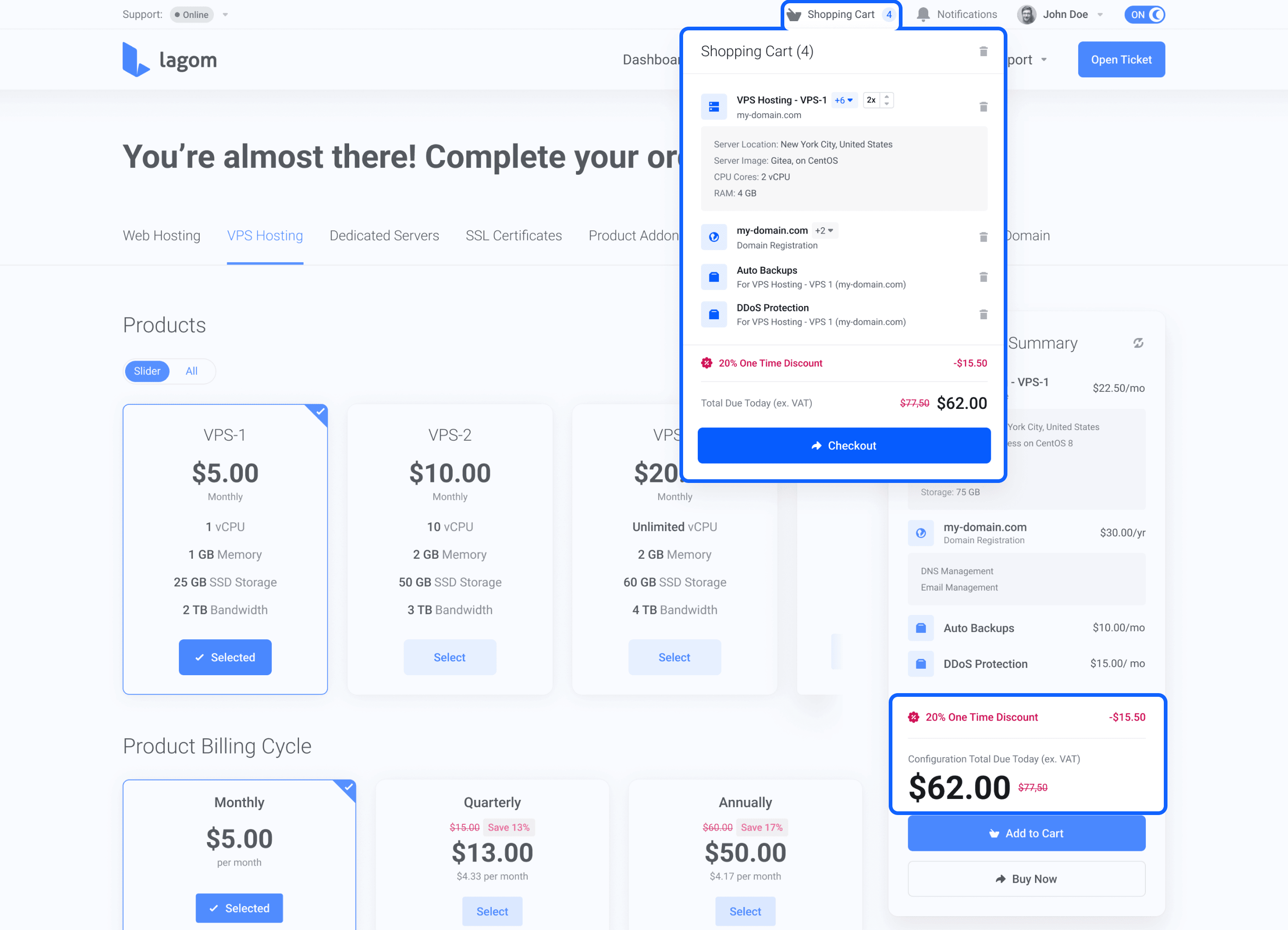
To fully support Multi Product ordering, Lagom Smart Order Form 1.3.0 beta introduces the new Quick Shopping Cart, available directly from the main menu. This feature gives users instant access to their cart at any moment, without forcing them to leave the product configuration page. Customers can quickly check what has already been added, review current pricing, and move to Checkout whenever they are ready.
The Quick Shopping Cart provides a clean, lightweight overview of the entire order. It shows added products and domains, allows items to be removed, and lets users continue adding more services without breaking their flow.
As a result, the ordering experience stays fast and focused. Product configuration happens in one continuous view, while Checkout becomes a clear and intentional final step instead of an unnecessary interruption.
Quantity Support for Ordering Multiple Units
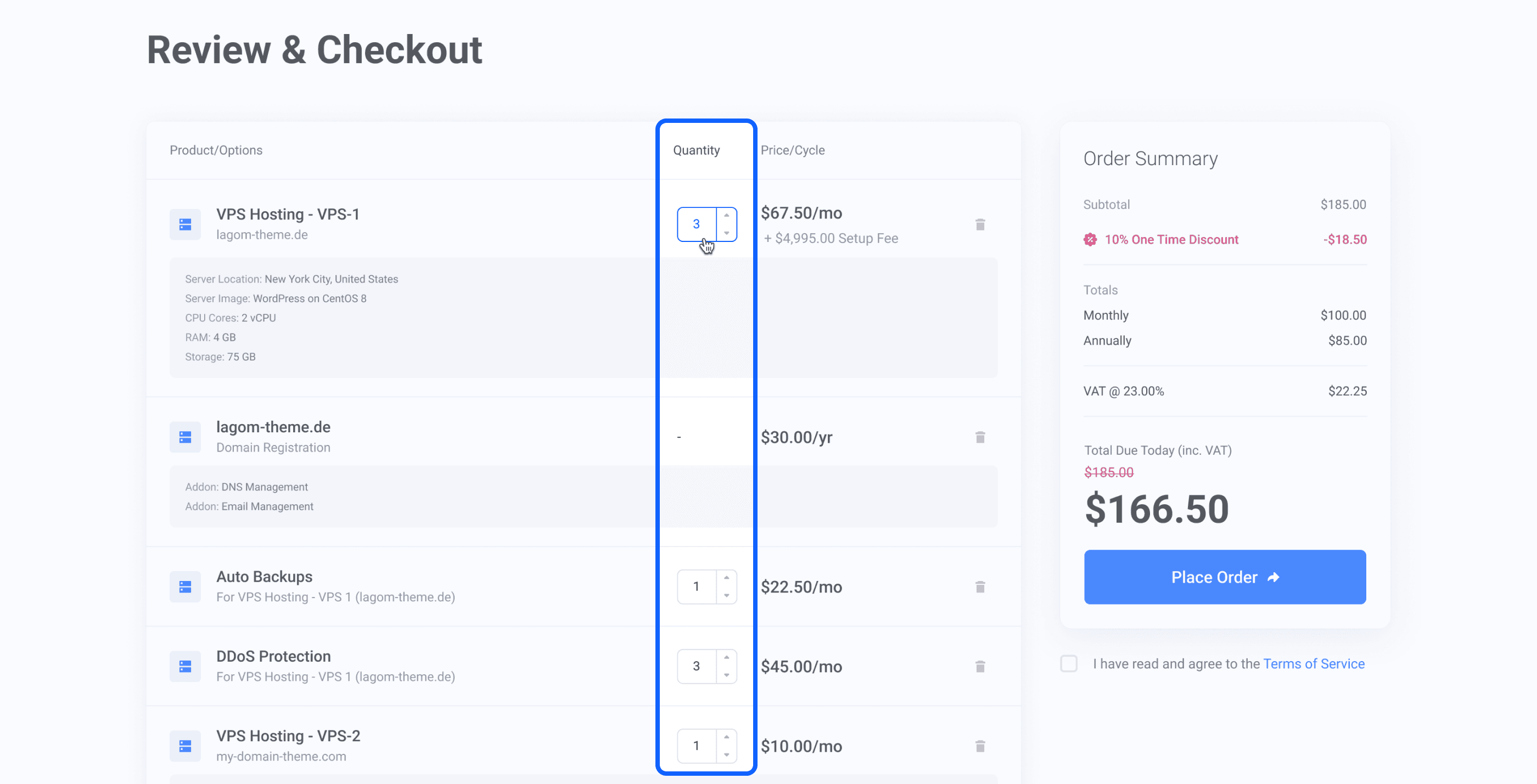
With the move to Multi Product ordering, Lagom Smart Order Form 1.3.0 beta also introduces full Quantity support. Customers can now order multiple units of the same product within a single order, something that was not possible with the previous model. This makes the ordering process more flexible and better suited to real-world use cases.
The pricing logic remains clear and predictable. The unit price of a product never changes, and only the final total is updated based on the selected quantity. Quantity information is displayed consistently across Configuration Summary, Quick Shopping Cart, and Checkout.
This improvement is especially valuable for customers ordering multiple servers, licenses, or identical services in one transaction.
Redesigned Configuration Summary with Clear Pricing
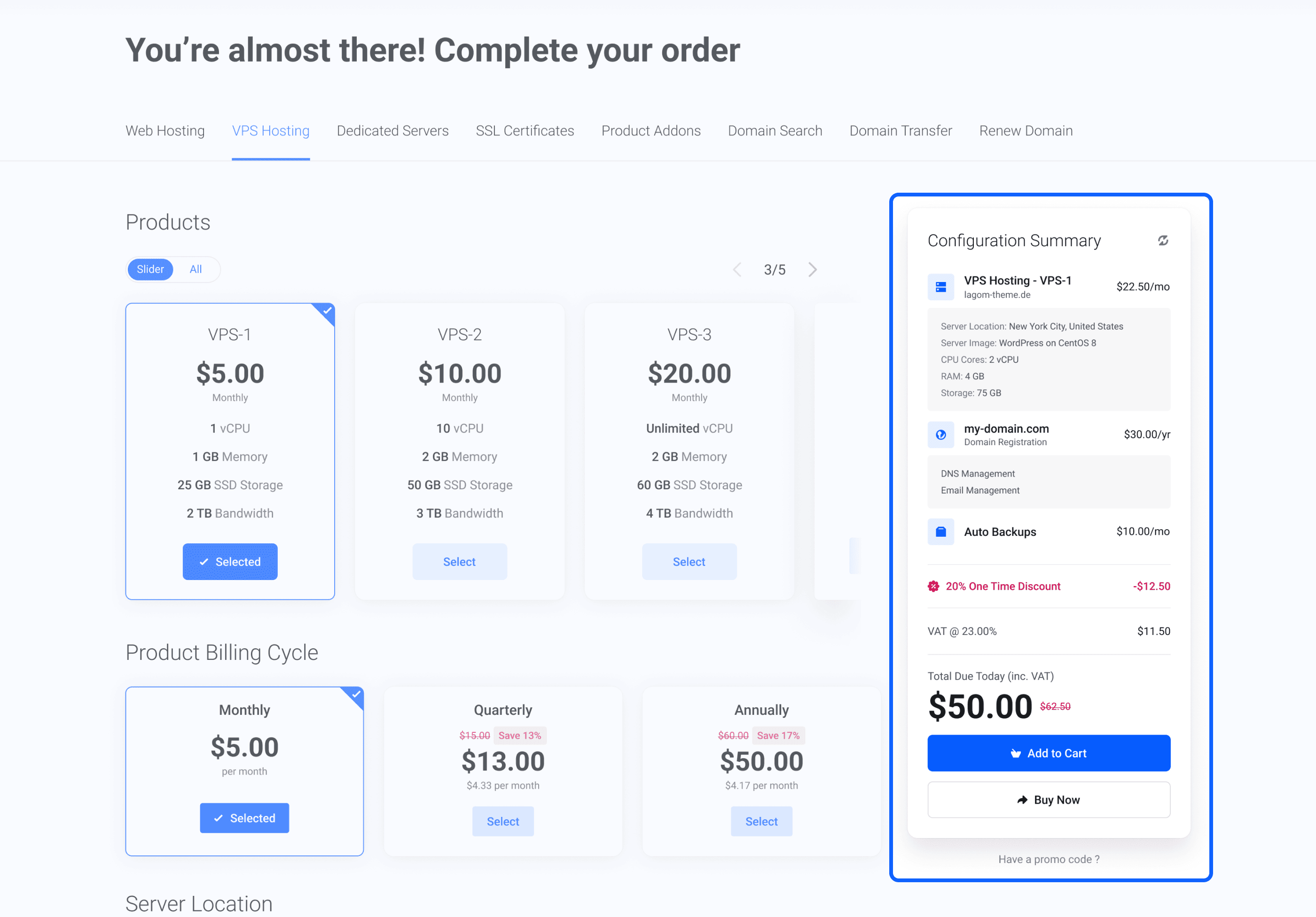
In Lagom Smart Order Form 1.3.0 beta, the Configuration Summary sidebar has been completely rethought and refined. It is no longer treated as a mini cart. Instead, it focuses entirely on summarizing the product currently being configured, helping users make confident decisions without unnecessary distractions.
The updated Configuration Summary introduces support for Product Graphics, a cleaner and more structured sidebar layout, and unified pricing logic that follows WHMCS rules more closely. At this stage, users see one clear value: Configuration Total Due Today.
Detailed pricing breakdowns, including billing cycles, VAT, and subtotals, are intentionally moved to Checkout. This keeps the configuration view simple, readable, and focused on choosing the right product rather than analyzing calculations.
Suggested Domains and Improved Domain Ordering
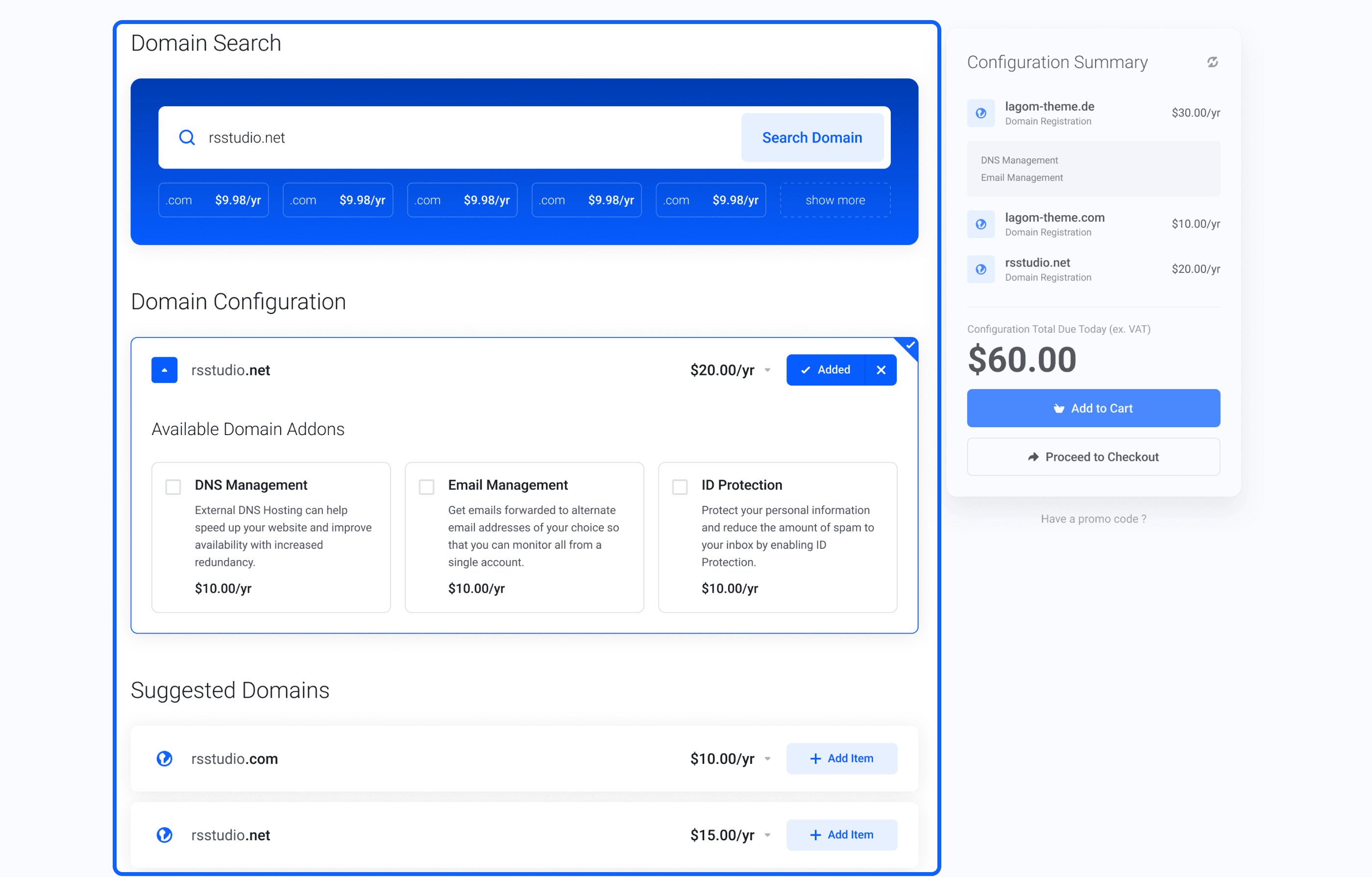
Lagom Smart Order Form 1.3.0 beta introduces full support for Suggested Domains, fully aligned with standard WHMCS functionality. When a searched domain is unavailable, users instantly see alternative names and related TLDs directly within the ordering flow. There is no need to restart the search or leave the page, which makes domain selection faster and more convenient at a critical moment in the purchase process.
Suggested Domains work consistently across the entire system, both when ordering a domain on its own and when assigning a domain to a hosting product. This improves conversion rates and removes unnecessary friction from domain ordering.
Domain configuration has also been unified and simplified. After selecting a domain, users see a single, consistent configuration panel with all available domain options, such as DNS management or ID protection. Pricing remains clear and predictable: the price shown next to a domain always reflects the base domain cost, while all addons and final totals are calculated and displayed only in Configuration Summary.
Clear VAT Display for Transparent Pricing
In Lagom Smart Order Form 1.3.0 beta, VAT calculation remains fully aligned with standard WHMCS rules. What has improved is how VAT is presented throughout the ordering experience. The goal is clarity. Customers should always know whether the price they see includes VAT, without being overloaded with tax details too early in the process.
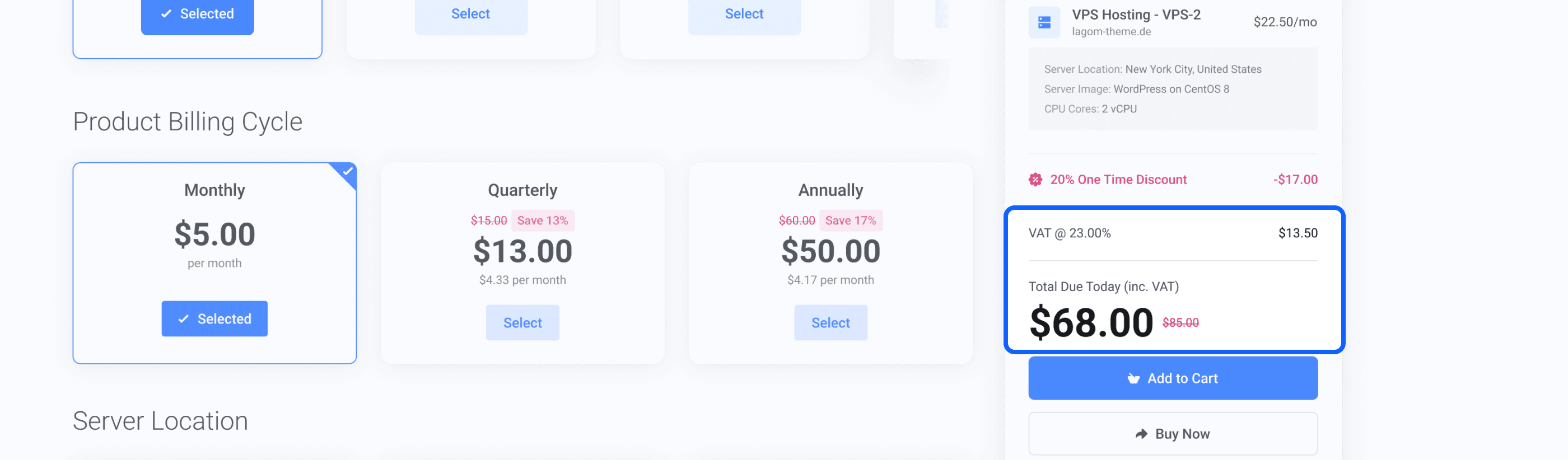
Logged-in customers who are subject to VAT see prices that already include tax, clearly marked as inc. VAT in Configuration Summary and Quick Shopping Cart. Customers who are not subject to VAT see final prices without any VAT labels, with no additional charges applied later. For guests who are not logged in, VAT is never shown before Checkout. Until WHMCS can determine the customer’s country and tax status, all prices are displayed as net values and marked as ex. VAT. This rule is applied consistently to avoid uncertainty and confusion.
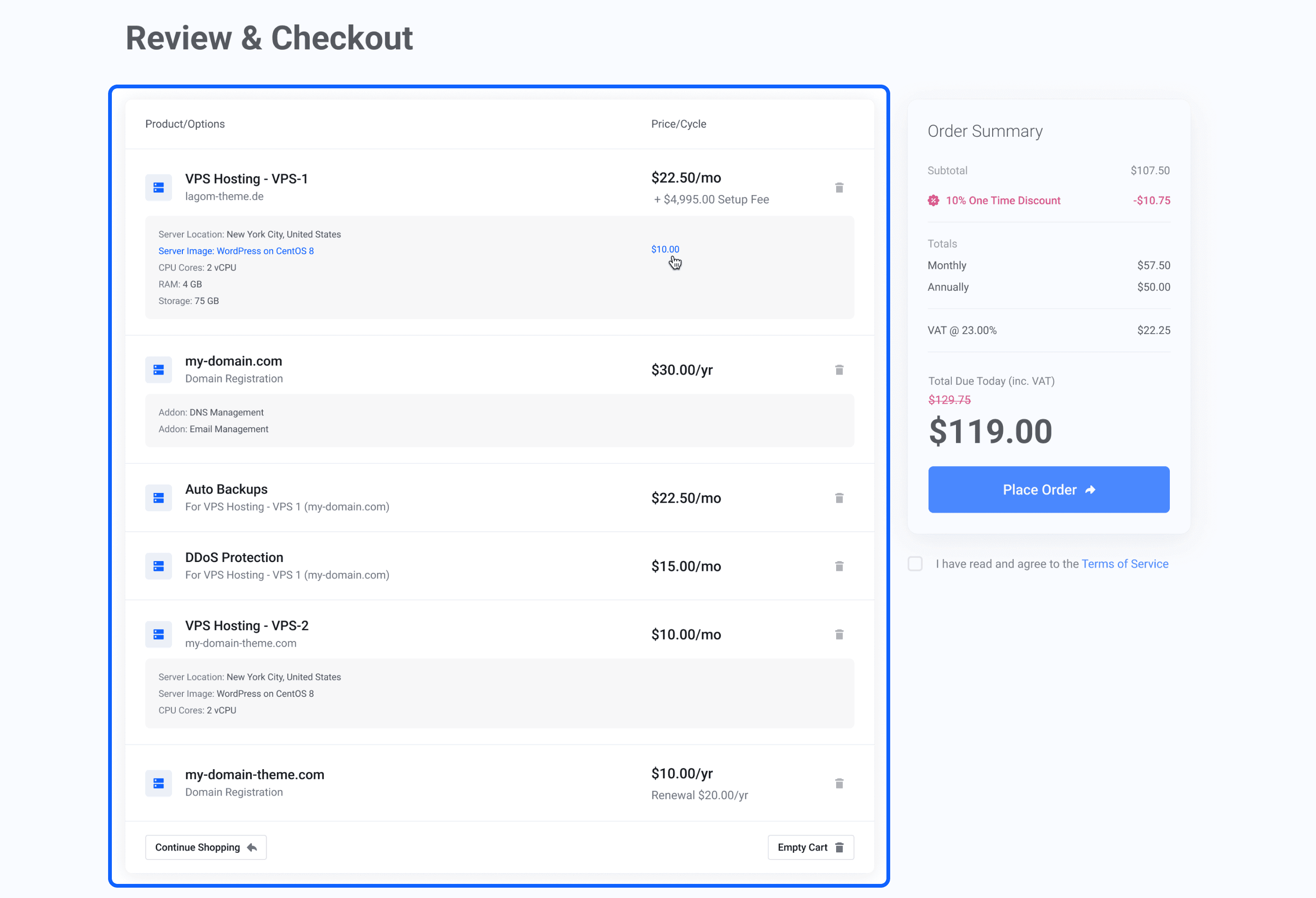
A full VAT breakdown appears only in Checkout, inside Order Summary. This is where WHMCS calculates taxes, applies promotions, and presents the final Total Due Today (inc. VAT) in a clear and logical way. The result is a pricing experience that feels transparent, predictable, and easy to understand at every step of the order process.
Promotion Codes – Clear Discounts, Consistent Everywhere
Lagom Smart Order Form 1.3.0 beta introduces a cleaner and more consistent way of presenting Promotion Codes across the entire ordering process. Discounts are now displayed using one unified approach in Configuration Summary, Quick Shopping Cart, and Checkout. Instead of showing reduced prices in multiple places, promotions are presented clearly in the order summary, making it immediately obvious what discount has been applied and how much the customer saves.
Each promotion appears as a single, visible discount line, showing the type of discount and the exact amount deducted from the order. The final price is always calculated correctly, with the original price shown crossed out and the discounted Total Due Today clearly highlighted. Promotion codes apply globally. Whether a discount is added during product configuration or at Checkout, it is automatically reflected across all steps of the order. This ensures a consistent experience and avoids confusion caused by discounts appearing in one place but missing in another.
The result is a simpler, more transparent discount presentation that builds trust and makes promotional offers easy to understand at a glance.
Beta Status and Next Steps
Lagom Smart Order Form 1.3.0 is currently available as a beta release and is not production-ready. We strongly recommend installing and testing this version only on development or staging environments, not on live production systems.
This beta version is designed to work with Lagom Client Theme 2.4.1 and WHMCS 8.13.x. Using it with older versions of the Lagom Client Theme may lead to visual inconsistencies or unexpected behavior, as the new order flow relies on the latest layout and styling updates.
The primary goal of the beta is to validate the new architecture, verify the Multi Product ordering flow in real-world scenarios, and collect meaningful feedback from users. Your testing helps us identify edge cases, refine user experience details, and ensure long-term stability before the official release.
To keep the beta focused and predictable, we intentionally limit the number of supported layouts and legacy modes. This allows us to concentrate on one clear, modern flow and improve it based on real usage rather than assumptions.
Documentation will be updated and finalized after the stable version is released. The release date of the official version will depend on the amount and quality of feedback received during the beta phase.
We strongly encourage you to explore all areas of the order process, test different scenarios, and share your feedback with us. Your input plays a key role in shaping the final version of Lagom One Step Order 1.3.0