Meet Lagom Style Builder – Design Your WHMCS Website Faster Than Ever
Customizing your WHMCS website should be simple, intuitive, and enjoyable. That is exactly why, alongside the release of Lagom WHMCS Client Theme 2.4.6, we are introducing an entirely new tool designed to make visual customization easier than ever before.
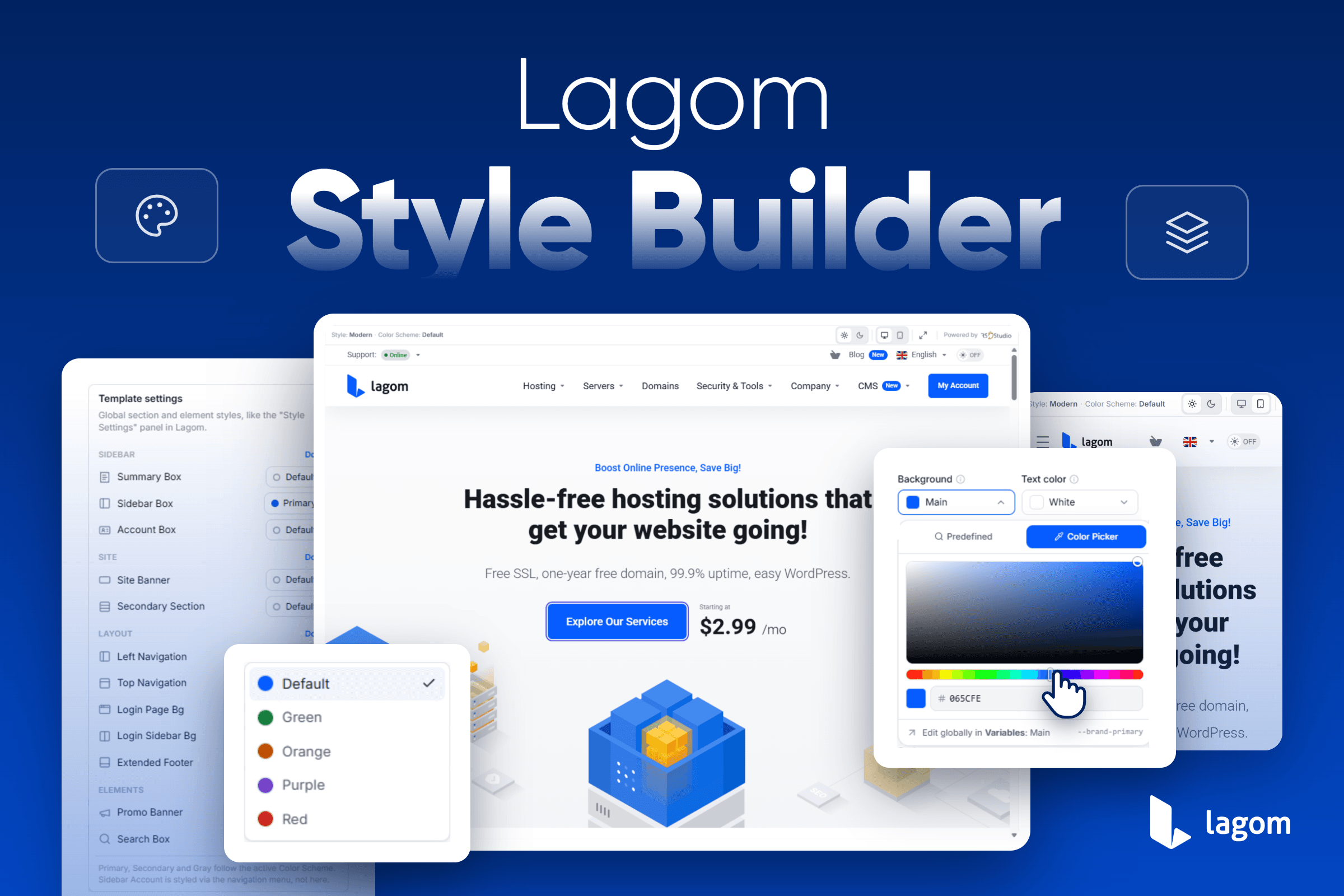
Lagom Style Builder lets you create your own unique website style using a modern visual editor with live preview, eliminating much of the trial and error traditionally involved in theme customization. Whether you only want to update your brand colors or completely redesign the appearance of your client area, Style Builder gives you the flexibility to do it, all from a single interface.
What Is Lagom Style Builder
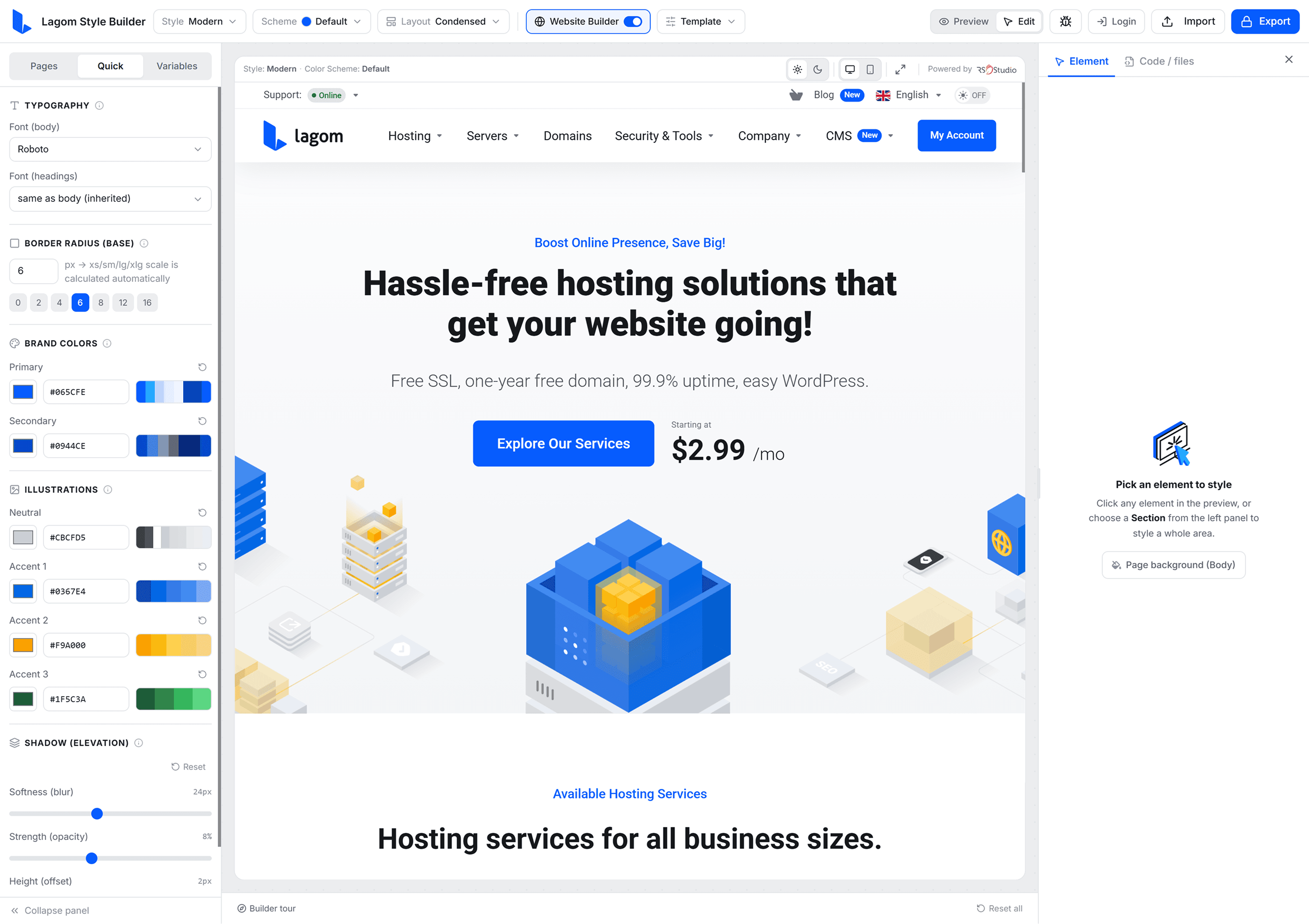
Lagom Style Builder is a browser-based visual editor built for Lagom WHMCS Client Theme. It does not replace Style Manager. Instead, it makes working with it much more intuitive. It allows you to configure the same style variables used by Style Manager while providing a visual interface that lets you instantly preview every change. This means you can spend less time searching for the right variable and more time focusing on creating a design that reflects your brand.
Once your configuration is complete, Style Builder generates all of the files required to import your new style into your WHMCS installation.
Start With Style BuilderGet Lagom Now!
Why We Built It
While Lagom has always offered extensive customization options, configuring every visual aspect through variables could become time-consuming, especially for users creating a new brand identity.
Style Builder simplifies this process by providing:
- Live preview while editing
- Automatic color palette generation
- Visual editing of individual components
- Global styling options for repeated elements
- Responsive preview for desktop and mobile devices
- Export-ready style files compatible with Lagom WHMCS Client Theme
The result is a much faster workflow with significantly less guesswork.
Start With Style BuilderGet Lagom Now!
Getting Started
Using Lagom Style Builder only takes a few moments. Simply open the Lagom Style Builder page on our website and start configuring your style immediately. No installation is required during the design stage, allowing you to freely experiment before exporting your finished configuration.
Before importing your style, make sure your installation is running Lagom WHMCS Client Theme 2.4.6 or newer.
The complete workflow consists of just a few simple steps:
- Configure your project.
- Define your brand colors and typography.
- Fine-tune individual style variables if needed.
- Review your changes across representative pages.
- Export your style.
- Import it into your WHMCS installation.
Let's take a closer look at each step.
Step 1 – Configure Your Project
The first step is selecting the basic configuration for your project. Using the options available in the top toolbar, you can configure:
- Style
- Color Scheme
- Navigation Layout
- Template Layout
- Website Builder support (if used in your installation)
These settings define the environment used by the live preview, allowing you to work with a configuration that closely matches your production website.
Step 2 – Build Your Brand
The Quick tab is the easiest place to begin. Instead of manually configuring dozens of style variables, you can define the core elements of your visual identity by selecting:
- Primary Brand Color
- Secondary Brand Color
- Preferred Font
Based on these selections, Style Builder automatically generates a balanced palette of related variables used throughout Lagom. This provides an excellent starting point while still allowing you to customize every generated value later if needed.
Step 3 – Fine-Tune Your Style
For users who want more control, the Variables tab provides access to every style variable available within Style Manager. Here you can customize elements such as:
- Colors
- Typography
- Borders
- Shadows
- Spacing
- Layout values
- Other visual properties used throughout the theme
Every modification is reflected immediately in the live preview, making it much easier to understand how each variable affects the final appearance of your website.
Step 4 – Preview Your Changes
One of the biggest advantages of Style Builder is the ability to verify your design before importing it into WHMCS. The Pages tab allows you to switch between representative pages from both Lagom WHMCS Client Theme and Lagom WHMCS Website Builder, helping you review how your style looks across different parts of your website.
During the review process, you can also switch between:
- Desktop and Mobile preview
- Light and Dark Mode
This makes it easy to ensure your design remains consistent across different layouts and color schemes before exporting it.
Step 5 – Export Your Style
Once your design is complete, simply click Export. After signing in to your client account, Style Builder will generate and download all of the files required for your new style.
To import it into your WHMCS installation:
- Download and extract the generated archive.
- Connect to your server using FTP or SFTP.
- Upload the modules and templates folders to your main WHMCS directory.
- Allow the existing files to be overwritten.
- Navigate to WHMCS Admin Area → Utilities → System → System Cleanup and clear the Template Cache.
- Open RSThemes → Info.
- Click Import to import your newly generated style.
Your customized style will now be available throughout your Lagom installation.
Why Use Style Builder?
Although every style can still be configured manually through Style Manager, Style Builder makes the process significantly more efficient.
Some of the biggest advantages include:
- Live preview while configuring your style.
- Faster brand customization.
- Automatic generation of related color variables.
- Easier navigation through available styling options.
- Desktop and mobile preview.
- Light and Dark Mode support.
- Direct export ready for Style Manager.
Whether you only want to update your company colors or create a completely new visual identity, Style Builder helps you complete the process much more quickly.
Beta Release
Lagom Style Builder is currently available as a Beta release. Although the editor has been extensively tested, you may still encounter occasional bugs or unexpected behavior while we continue refining the experience.
For this reason, we strongly recommend importing and testing exported styles in a development environment before deploying them to a production website.
If you discover any issues or have ideas for new features, we would love to hear from you. Your feedback will directly help us improve future versions of Style Builder.
Start Building Your Brand
Lagom Style Builder is another step toward making WHMCS website customization more accessible without sacrificing the flexibility that experienced users expect. It combines the power of Style Manager with a visual editing experience, allowing you to create a consistent and professional design in a fraction of the time previously required.
We built this tool based on your feedback. Give Style Builder a try, explore the available options, and let us know what you think. We are looking forward to seeing the unique brands you create with Lagom Style Builder.
Start With Style BuilderGet Lagom Now!